
 |
|
|
|
 |


|
|
 |
 |

|
 |

|
(#1)
|
|
RC-Monster Titanium
Offline
Posts: 1,884
Join Date: Jul 2009
|
02.04.2011, 05:15 PM
My Photoshop skills are probably a 3/10, any chance I could pull that off? I guess I'd need to get some good lighting and decent pics first. Do you just make 2 layers then blend/fade the edges, or is it more complex than that?
|
|
|

|
 |
 |
 |
|
|
|
|
|
|
(#2)
|
|
RC-Monster Aluminum

Offline
Posts: 809
Join Date: Jan 2008
Location: JAMAICA
|
02.04.2011, 05:41 PM
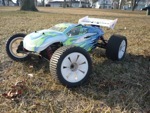
Actually it was quite simple to do... set vehicle down on a plain surface... set the camera on a tripod... take a few shot of the car with the body on... then remove the body carefully and
not disturb the cars position in the frame of the shot... take a few of the chassis... review the images to see if the exposures satisfactory... then take the images to photoshop... have the shot with the chassis on the lower layer... then start creating the transparencies with the body by removing some of it with the erase tool... you'll need to turn down the pressure on the tool to 60%.... and slowly remove the areas you wish to reveal the chassis... Alien |
|
|
|
|
|
|
 |
| Tags |
| lrp sphere, x12, xray t1, xray t1 evo2 |

«
Previous Thread
|
Next Thread
»
| Currently Active Users Viewing This Thread: 1 (0 members and 1 guests) | |
| Thread Tools | |
| Display Modes | Rate This Thread |


 Hybrid Mode
|
|

Powered by vBulletin® Version 3.8.11
Copyright ©2000 - 2026, vBulletin Solutions Inc.
vBulletin Skin developed by: vBStyles.com
Copyright ©2000 - 2026, vBulletin Solutions Inc.
vBulletin Skin developed by: vBStyles.com
